 CalBar CalBar Calendar Access from Your Menu Bar
CalBarCalBar puts your Calendar app events right in the menu bar. See your day, join meetings, and search events — all without switching away from what you're doing.
Connects to your Calendar app. All your synced calendars appear automatically.

No data collection. Everything stays private on your device.

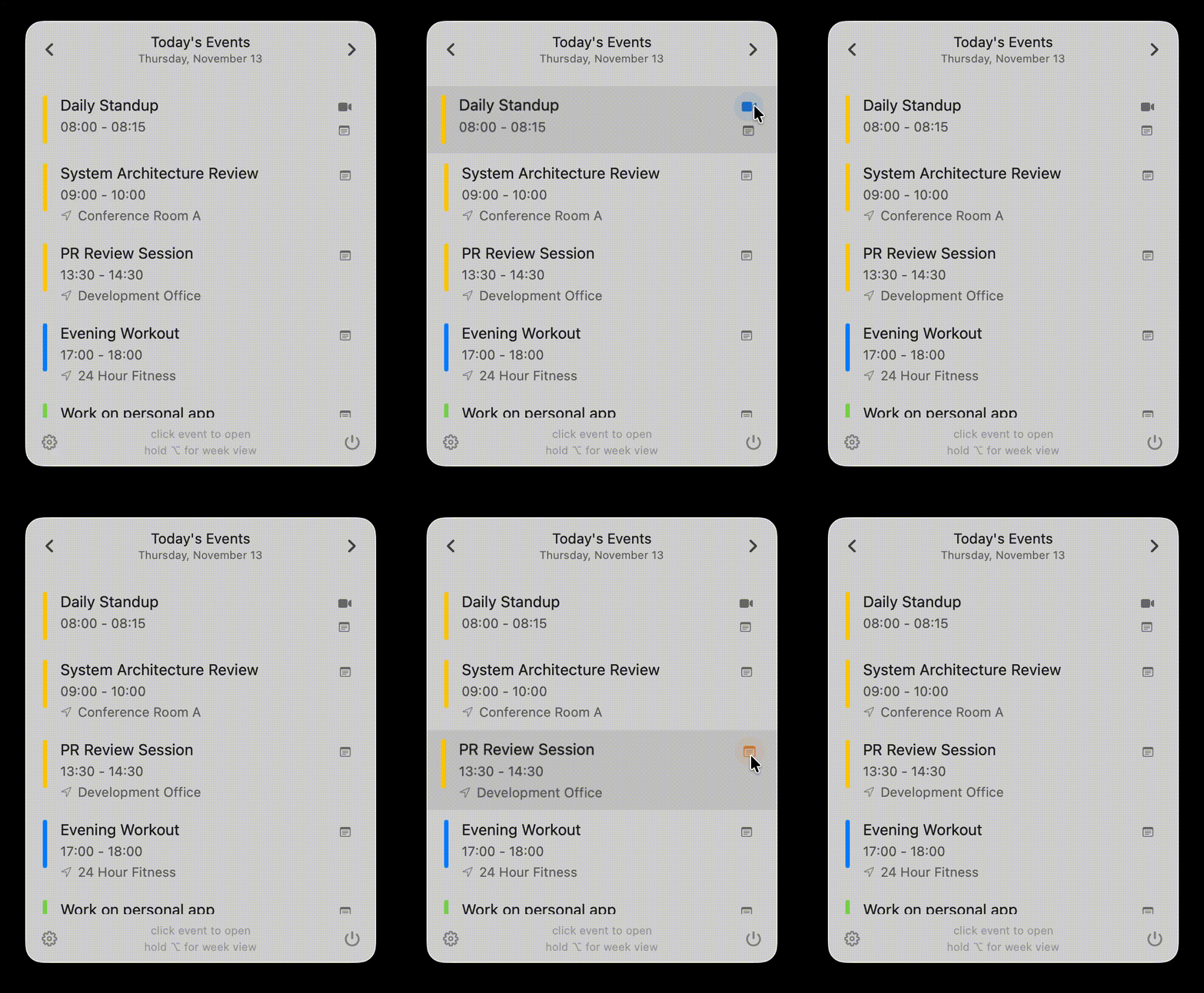
Calls & Notes
You can join video calls or create a new note in Notes.app using quick action buttons.
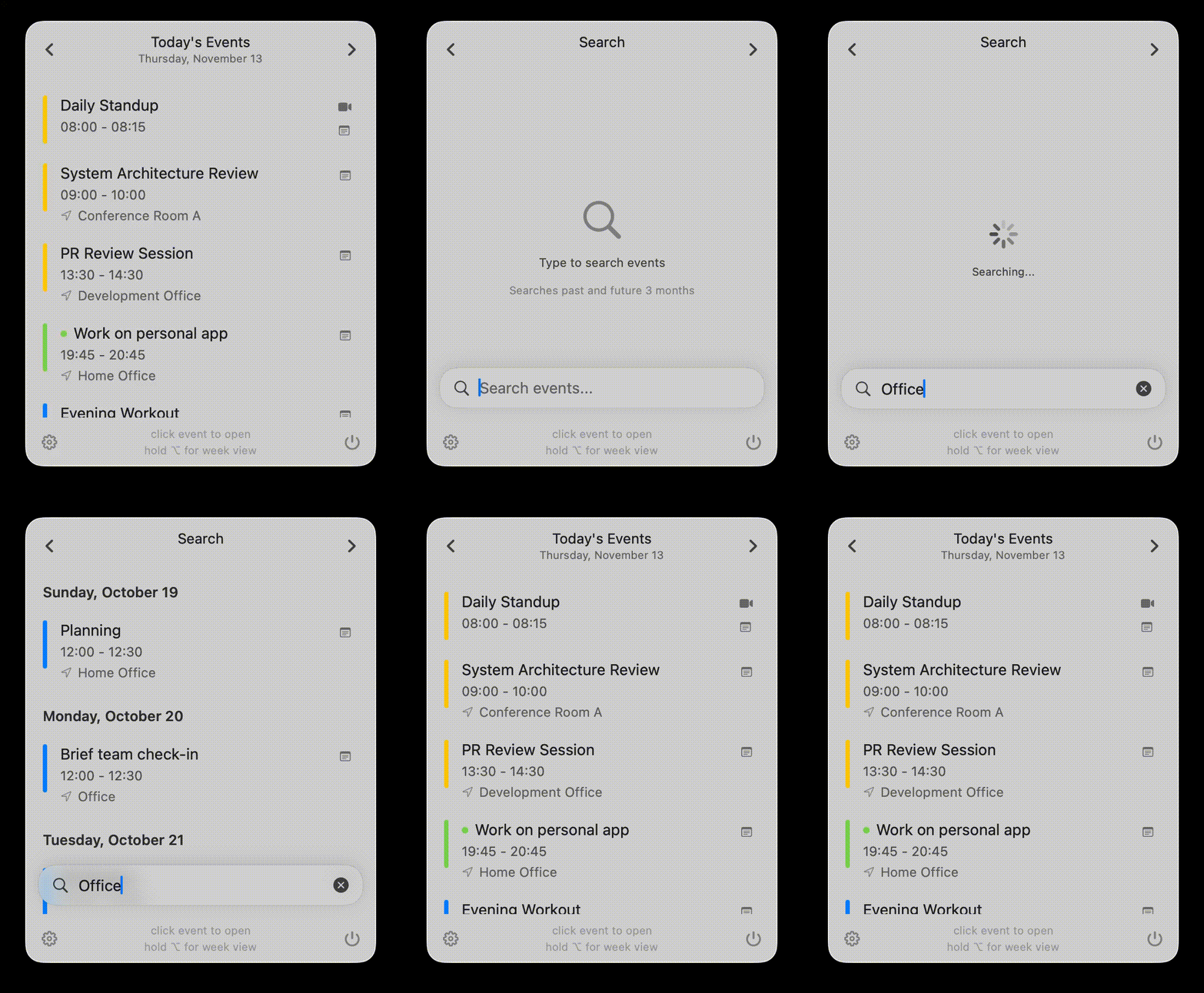
Find Any Event, Instantly
⌘F to search your calendar. Find events and reminders by title or location, grouped by date.
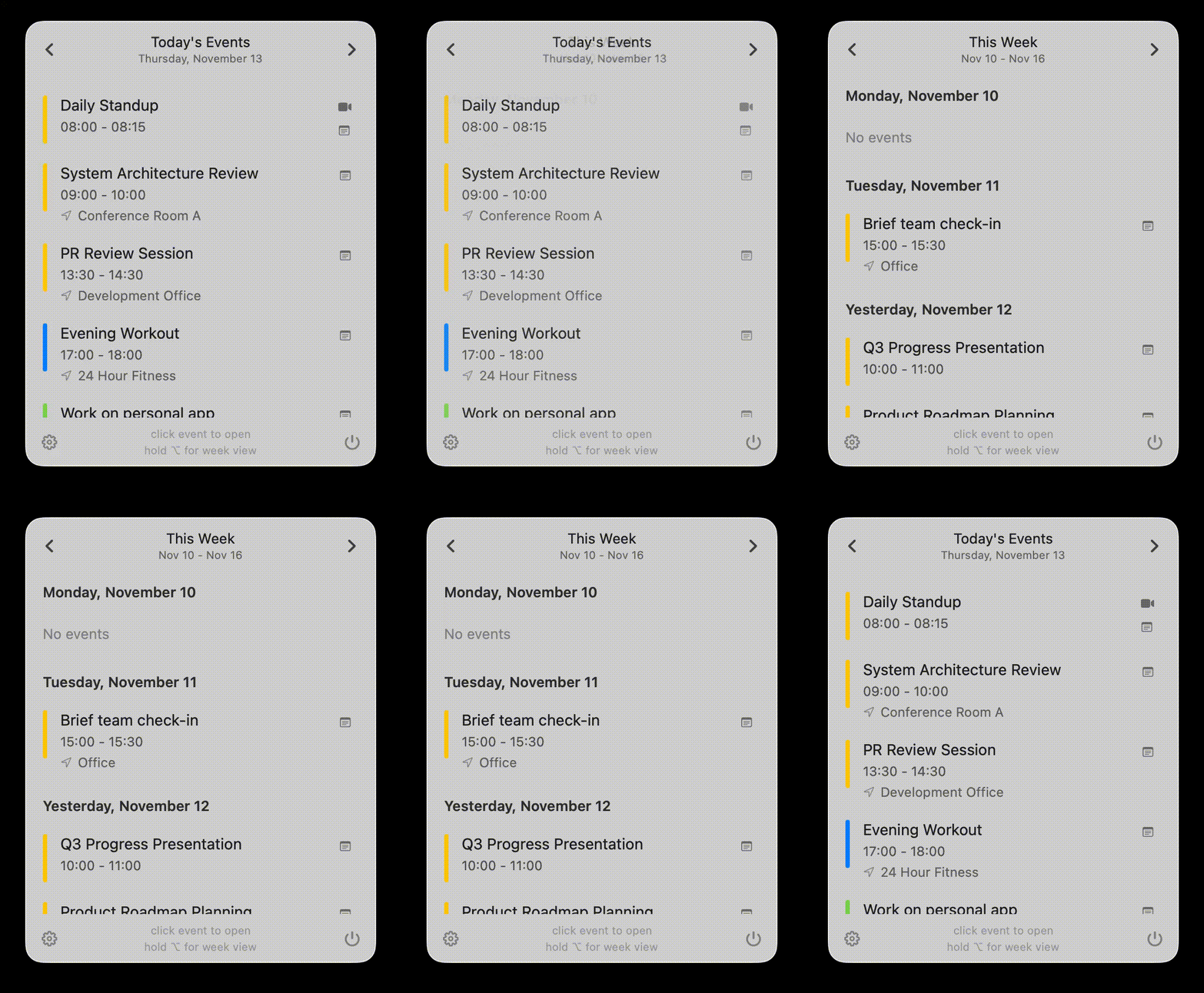
Whole Week at a Glance
Hold the ⌥ Option key to see full weekly view. Release to instantly return to your daily schedule.
CalBar Features
Reminders Integration
Shows scheduled Reminders alongside calendar events. Real-time updates, click to open in Reminders.app.
What's Next
Optional menu bar text shows time remaining in your current event or time until your next one. Smart back-to-back detection keeps you on track.
Keyboard Navigation
⌘T (today), ⌘F (search), ⌘, (settings), ⌥ (weekly view), ESC (close), etc. Navigate the app without using the mouse.
Customization
Launch at login. Show/hide: meeting buttons, notes buttons, reminders, ongoing event indicators, locations, menu bar timing. Full control.
Privacy
Reads calendar data locally via EventKit. No external servers, no tracking, no analytics, no data collection whatsoever.
Integration
Click any event or reminder to open it directly in your Calendar or Reminders app, making it easy to view and edit details.
Quick Add
Type "lunch with Sarah tomorrow at 1pm" or "remind me to buy milk" and CalBar creates an event or reminder automatically. (Requires macOS Tahoe)
Everything You Want to Know
What is CalBar?
CalBar displays your events directly in the Mac menu bar. It works with any calendar service you've added to the Calendar app — iCloud, Google Calendar, Microsoft Exchange, Outlook.com, and others. No additional setup required.
Is my calendar data private?
CalBar reads your calendar data locally on your Mac through Apple's EventKit framework. No data is ever sent to external servers or tracked.
How do I get started?
Download CalBar from the Mac App Store, grant calendar permissions, and your events appear instantly in the menu bar. Requires macOS 14.0 or later. Runs natively on Apple Silicon and Intel Macs.
Can I open calendar events from CalBar?
Simply click on any event in CalBar to open it directly in your Calendar app. This makes it easy to view details, edit events, or join meetings without searching through your calendar.
Can I navigate between different days?
You can browse previous and next days using the chevron buttons at the top of the window, or with the keyboard shortcuts ⌘[ and ⌘]. CalBar automatically returns to today after 5 minutes of inactivity or at midnight, so you never lose track of your current schedule.
What customization options are available?
CalBar includes extensive customization via the settings panel (⌘,): launch at login, show/hide meeting join buttons, show/hide notes buttons, show/hide reminders, show/hide ongoing event indicator (dot before title), show/hide event locations, show/hide menu bar event timing, and time format preferences.
Can I search my calendar in CalBar?
Press ⌘F to search your events and reminders by title or location. CalBar searches ±3 months from today (6 months total) and displays up to 50 results grouped by date. Click any result to open it in Calendar.app or Reminders.app.
Does CalBar support Apple Reminders?
CalBar shows scheduled Apple Reminders alongside your calendar events with real-time updates. Click any reminder to open it directly in Reminders.app. You can toggle reminders visibility in settings.
What keyboard shortcuts are available?
CalBar is designed for keyboard-first navigation. Here are the default shortcuts:
| Shortcut | Action |
|---|---|
⌘ T | Return to Today |
⌘ F | Open / Close Search |
⌘ , | Open Settings |
⌘ N | Add new event |
⌥ (Hold) | Toggle Weekly View |
ESC | Close Search / Settings / Window |
⌘[ and ⌘] | Previous / Next - Day or Week |
Which video call platforms are supported?
CalBar auto-detects meeting links from all major platforms: Zoom, Google Meet, Microsoft Teams, Webex, GoToMeeting, Whereby, Amazon Chime, Jitsi, Skype, 8x8, and RingCentral. Links are extracted from event URL field, notes, or location.
How can I get support?
For any questions, feature requests, or technical support, please contact hello@calbar.app.
Get CalBar
for macOS
Quick access to your schedule without interrupting your workflow.
Requirements
macOS 14.0 or later
Apple Silicon or Intel Mac
What You Get
Search, reminders, weekly view
Video call shortcuts, keyboard nav
Getting Started
Download from App Store
Grant calendar permissions